
Crypto payment link vs checkout, invoice or POS: which should you use?
Key takeaways
- Who sets the amount mostly decides the method: the link itself, your cart, you on each bill, or the cashier at the till.
- Every method creates the same thing underneath: one invoice per payment, with its own amount, deposit address and countdown.
- Subscription links don't pull money. Payzum emails the subscriber a link before each renewal, and they pay it like any other invoice.
- One account and one wallet cover all of them, so you can start with links this week and add checkout or the POS later.
Most businesses weighing a crypto payment link vs checkout don't sell in only one place. A café takes cake orders on WhatsApp, sells gift boxes on its website, bills an office for catering and rings up coffee at the counter. Each of those sales has a different shape, and each crypto payment method was built around one of them.
Below, each of those situations is matched to a method: payment links, hosted checkout, invoices, the point of sale and subscription links, with setup, amount, expiry and best use lined up in one table.
Payzum is a non-custodial, stablecoin-first crypto payment processor: payments settle directly to wallets the merchant controls.
Should I use a payment link, a hosted checkout, an invoice or a POS to accept crypto?
Look at where the customer is when they decide to pay:
- In a chat, a DM or an email thread: send a payment link. You need no website and no code.
- On your website, with a cart: use hosted checkout, through a store plugin or a single API call.
- Waiting for a bill from you, often with payment terms: send an invoice that carries your invoice number.
- Standing at your counter: open the POS on a phone and show a QR made for that sale.
- Paying you every month for the same thing: create a subscription link with the amount and the interval.
Plenty of businesses need two or three of these. They run from the same account and pay into the same wallet, so adding a method never means removing another.
Where one payment method stretched over every sale breaks down
The most common version is a wallet address pasted into a chat. It carries no amount and no deadline, and nothing says which customer sent what. When two buyers pay that address on the same afternoon, you are left with two screenshots and a balance to untangle.
A payment link at the counter fails in a different way. A link holds a price set in advance, which works for a 25 USDC tote bag and not for a basket of groceries. The cashier would need a new link for every total.
Hosted checkout for a business bill loses the paperwork. The client's accounts team wants your invoice number, a due date and a document to file, and a cart page has none of them.
On a website, friction is the problem. Baymard Institute's cart abandonment list, updated on October 28, 2026, averages 50 studies to a documented abandonment rate of 70.22%. Among the reasons US shoppers gave for abandoning an order, 17% named a checkout that was too long or complicated. Another 18% left because the site wanted them to create an account, and 9% found too few payment methods.
What a mismatch costs: abandoned carts, late bills and a slow queue
Online, every extra step between the cart and a paid order is a chance to lose it. A buyer who meets a sign-up form, or a bare address to copy by hand, has an easy reason to stop.
Business bills often run late. The European Commission's late-payment proposal of September 12, 2023 says that one in two invoices in commercial transactions in the EU is paid late, or not at all. It adds that one in four bankruptcies comes from invoices not paid on time. A payment request with no reference and no expiry gives the client's accounts team one more reason to set it aside.
The counter is still where most paying happens. In the Federal Reserve's 2026 Diary of Consumer Payment Choice, published on May 11, 2026, US consumers made 30 in-person payments a month in 2025 against 17 remote ones. That is a 63% to 37% split. A payment method that slows the till gets felt dozens of times a day.
A lot of selling also happens in chat. Meta said on June 3, 2026 that people have more than one billion active threads with businesses every day across WhatsApp, Messenger and Instagram. Each thread that ends with "send me your address" becomes a payment someone has to match by hand.
Why every crypto sale needs its own invoice, whichever method creates it
Card payments are pulled. The terminal or the checkout asks the card network for the money, and the network ties the payment to the order. Crypto payments are pushed: the customer sends funds to an address. Unless something links that address and that amount to one order, the money arrives without a name on it.
Payzum solves this the same way in every method. Each payment gets its own invoice with a fixed amount, a deposit address, a countdown and a live status. In the merchant API that status starts at waiting and moves to finished once the full amount confirms. It shows partially_paid if the customer sends too little, and expired if the timer runs out first. A signed webhook fires when an invoice finishes or expires, as the invoice lifecycle reference describes. Partial payments don't send one today, so watch those in the dashboard.
So the methods differ in only two ways: who creates the invoice, and when.
- A payment link creates one every time somebody opens it.
- Hosted checkout creates one per order, from your cart or plugin.
- You create an invoice yourself, for one client.
- The POS creates one when a cashier types an amount.
- A subscription link creates one each billing cycle.
Payment link, checkout, invoice, POS and subscription link side by side
Setup, amount, expiry and best use for each method, from Payzum's documentation as read on November 25, 2026:
| Method | Setup | Who sets the amount | When it expires | Best use |
|---|---|---|---|---|
| Payment link | A few fields in the dashboard. Share the public URL or paste the button snippet. | You, once, inside the link. Buyers can't change it. | The link stays live. Each invoice it creates has its own countdown. | Chat and social sales, newsletters, a fixed-price product |
| Hosted checkout | A plugin for your store platform, or one API call that returns the checkout URL. | Your cart, order by order. | Each order's invoice runs its own countdown, then sends the buyer back to your site. | Websites with a cart or a custom storefront |
| Invoice | Created per client in the dashboard or by API, with your invoice number as the reference. | You, bill by bill. | It carries an expiry time. If it lapses, you issue a new one. | B2B projects, deposits, quotes with payment terms |
| POS | A terminal, cashiers with 6-digit PINs, and any phone or tablet with a browser. | The cashier, at the till. | A new QR is generated for each sale while the customer waits. | Counters, kiosks, market stalls, deliveries |
| Subscription link | A label, the amount, the interval and the subscriber's email. | You, plan by plan. | Renews by reminder email before each due date. Nothing is charged automatically. | Memberships, monthly plans, retainers |
For tips and donations, where the giver picks the amount, Payzum has a donation link that takes an open or a fixed amount. And a payment link can also live on a website as a "Pay now" button. That works for a page with one or two products. Once a cart decides the total, hosted checkout fits better.
Setting up each method in Payzum, step by step
The first steps are the same for every method:
- Create your account and add the wallet addresses where payments should land. Funds go straight there and never sit in a Payzum balance.
- Choose the coins and networks you accept. Auto-convert is optional and available on most supported networks; switch it on if you want every payment to settle as USDC or USDT.
- If you run a store or an app, give Payzum a webhook URL so finished and expired invoices update your orders without anyone checking.
- Before you announce a method, push one small real payment through it and check that it shows as finished in the dashboard.
Payment link
In the dashboard, open Merchants, pick your merchant and go to Payments. Create a link with a label, a price, a currency and the networks you accept. Its public URL goes into chats, your bio or an email. For a website, paste the button snippet from the same page, and the checkout opens in a modal without leaving your site. Selling by chat has its own guide: accepting USDT on WhatsApp and Instagram.
Hosted checkout
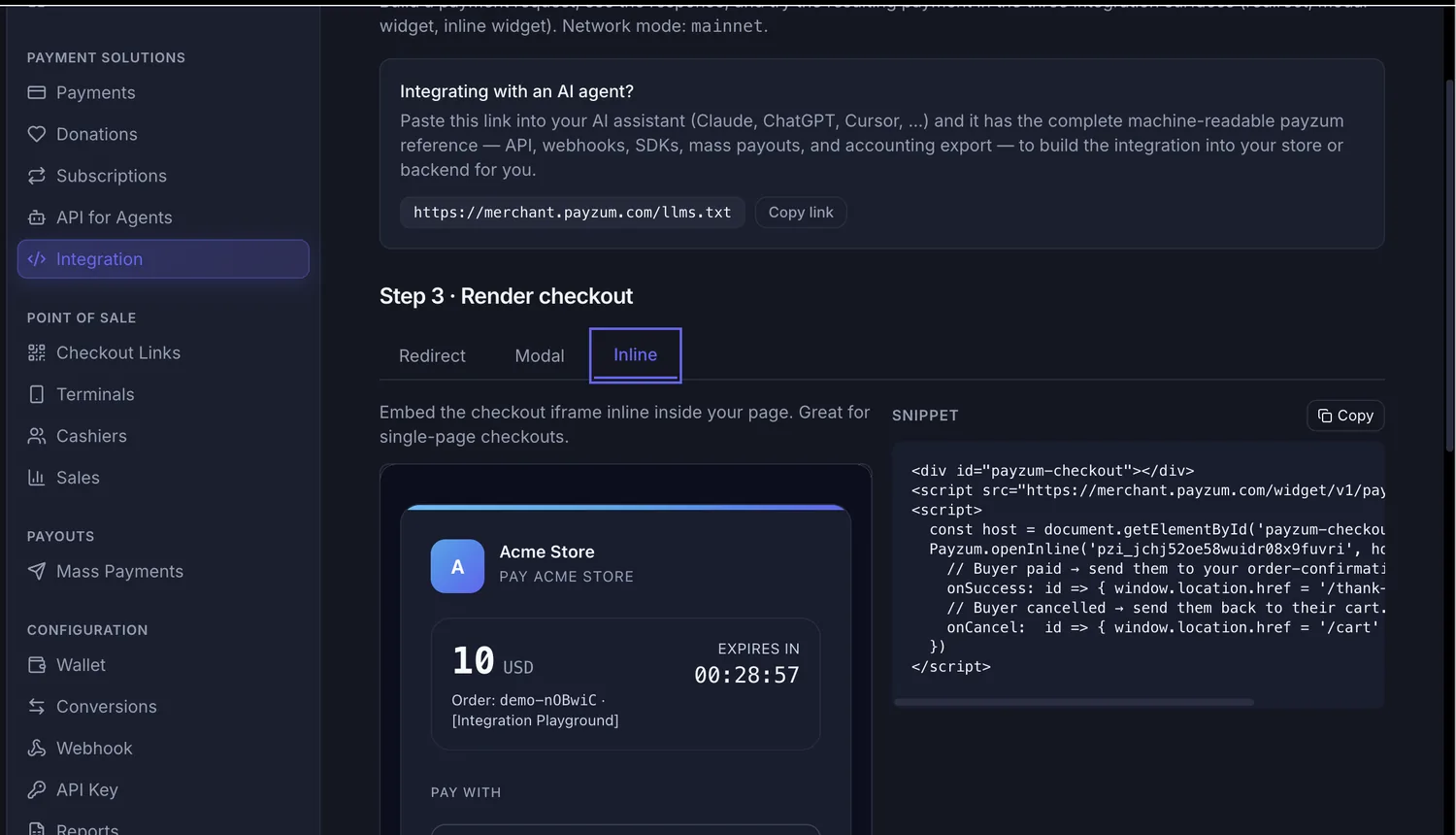
On a standard store platform, install the plugin. Payzum publishes 29 open-source integrations, from WooCommerce and Magento 2 to WHMCS and Tutor LMS. On a custom site, your server creates an invoice with the order total and order ID through POST /v1/payment, then sends the buyer to the invoice_url it returns. Mark the order paid from the signed webhook, not from the page the buyer lands on afterwards. The drop-in plugin guide walks through the plugin route.
Invoice
Create the invoice for the exact amount, pick the coin and network, and use your own invoice number as the order reference. Through the API you can also leave the coin open, and the crypto amount is then fixed when the client chooses. Email the payment link next to your usual PDF. The PDF carries your tax details, and the link carries the payment. Fields and edge cases are in how to send a crypto invoice.
POS
Under Point of Sale, create a terminal and choose the tokens and networks it accepts. Add each cashier with a name and a 6-digit PIN, then assign them to the terminal. A cashier opens their personal URL on a phone or tablet, enters the PIN, types the amount and turns the screen to the customer. The sales view splits revenue by cashier and by terminal and exports a CSV. The counter routine is covered in turning a phone into a crypto POS.
Subscription link
Under Subscriptions, create a link with a label, the amount, the billing interval and the subscriber's email. Payzum records each paid cycle, tracks the next renewal date and emails the link to the subscriber before it's due. A completed renewal fires a webhook marked as a subscription, which your app can use to extend access. What this changes for disputes is in crypto subscriptions without chargebacks.
A bakery's week on five payment methods
Picture a bakery-café that accepts USDC on Base and uses every method in a single week. The amounts are made up for the example. The fee math is Payzum's: 0.5% of each processed sale comes off the amount received, and gas on Base costs cents.
| Sale | Method | Who set the amount | Customer pays | Bakery receives |
|---|---|---|---|---|
| Flat white and a croissant at the counter | POS, rung up by the morning cashier | The cashier | 8.00 USDC | 7.96 USDC |
| Deposit on a birthday cake ordered on WhatsApp | Payment link | The bakery, in a 60 USDC link | 60.00 USDC | 59.70 USDC |
| Gift box ordered on the website | Hosted checkout through the WooCommerce plugin | The cart | 40.00 USDC | 39.80 USDC |
| November catering for a law office | Invoice INV-0112, emailed with the PDF | The bakery | 1,240.00 USDC | 1,233.80 USDC |
| Weekly bread box, billed monthly | Subscription link | The bakery, per plan | 32.00 USDC | 31.84 USDC |
| Total | 1,380.00 USDC | 1,373.10 USDC |
Payzum's share of the week is 6.90 USDC, plus a few cents of gas per transaction. Every sale sits in the dashboard as an invoice with its own ID. The coffee appears under the cashier who rang it, and the catering appears under INV-0112, which is the number the law office will quote when it pays.
Suppose the law office sends 1,200 instead of 1,240. The invoice then stays partially paid with 40 USDC due, and the payment page asks only for the rest until the timer ends. The guide to an underpaid crypto invoice covers what to do next.
Other businesses combine the methods in their own ways:
- A freelance designer sells a fixed-price logo package through a payment link on their portfolio, and bills custom projects with invoices that each carry a number and an expiry.
- A coworking space bills desk members with subscription links and runs the POS at its coffee bar, where each staffer on shift signs in with a PIN.
- A course creator sells on a Tutor LMS site through the plugin, then drops a payment link into the newsletter for a weekend workshop.
How each method compares with the card or bank tool it replaces
Every Payzum method has a familiar card or bank counterpart.
| Situation | Usual tool | Payzum method | What changes |
|---|---|---|---|
| Sale closed in chat | Card payment link, or bank details typed into a message | Payment link | The payment is final once confirmed, with no chargeback window |
| Website cart | Card checkout | Hosted checkout or a plugin | Funds reach your wallet in seconds, not after a payout that takes 1 to 3 days |
| Business bill | Bank transfer against a PDF invoice | Invoice with an expiry | Amount and status are tracked per invoice, and overpayment is detected |
| Counter | Card terminal with a reader | POS on a phone | No reader to buy or lease, and a PIN for each cashier |
| Monthly plan | Card on file, charged automatically | Subscription link | Nothing is pulled; the subscriber pays each cycle after a reminder |
Subscriptions are where you give something up. Card-on-file billing collects on its own until the card expires or the customer disputes a charge. A reminder-based link collects only when the subscriber acts, and once a cycle confirms it can't be reversed. Card payments, by contrast, can be pulled back for around 120 days.
The fee doesn't change with the method. Payzum takes 0.5% of each processed sale out of what you receive, plus network gas, so a 200 USDC invoice lands as 199 USDC before gas. If you're still choosing a provider, our comparison of the best crypto payment processors puts eight of them side by side, and the pricing page has the details.
What merchants ask before running several methods
Do several methods mean several reconciliations?
No. Every method ends as an invoice in one dashboard, with an ID, an amount and an order reference. The accounting export turns each sale, conversion and fee into a ledger line, valued in one of 31 reporting currencies. It comes as CSV or JSON, with formats for QuickBooks Online, Xero and others. The POS adds its own view by cashier and terminal.
Will my customers know how to pay?
The payment page does most of the explaining. It shows the network, the exact amount, a QR code and a countdown. Wallet users scan the QR. Customers paying from an exchange copy the address and the amount, and our guide to paying with USDT from Binance is written to be forwarded to them.
What if the coin's price moves while the customer pays?
Price in dollars and accept stablecoins, and there's little to move. Each invoice fixes the crypto amount the customer has to send, so they pay the quote on the page. If you also accept other coins, auto-convert can settle each payment as USDC or USDT.
Can I start with one method and add the rest later?
Yes. Most businesses begin with the channel that brings the most sales: links for chat sellers, the POS for shops, checkout for online stores. The other methods go on the same account later, with the same wallet and the same fee. The POS page shows the counter side if that's your next step.
Frequently asked questions
Should I use a payment link or a hosted checkout to accept crypto?
Use a payment link when the price is known in advance and you sell through chat, social media or email. Use hosted checkout when a cart sets a different total for each order on your website. Both create one invoice per payment and settle to your own wallet.
When is a crypto invoice better than a payment link?
When you bill one client an amount you set per job, under payment terms. An invoice carries your invoice number as its reference and an expiry time, so the client's accounts team can match it to the PDF. A payment link suits a fixed price that many buyers pay.
Can I accept crypto at a counter without a card terminal?
Yes. With Payzum's POS, a cashier opens their personal link on any phone or tablet, signs in with a 6-digit PIN, types the amount and shows a QR made for that sale. The customer scans it from their wallet, and the payment confirms in seconds.
Do crypto subscription links charge customers automatically?
No. Payzum's subscription links work by reminder. Before each due date the subscriber gets an email with the payment link and pays that cycle from their wallet. Each paid cycle fires a webhook that your app can use to extend access.
Does each payment method cost something different?
No. Payzum charges 0.5% per processed sale on every method, deducted from the amount you receive, plus the network's gas. A 100 USDC payment arrives as 99.50 USDC before gas, whether it came through a link, checkout, an invoice, the POS or a subscription.
Book 20 minutes to match each sales channel to a method
Every business sells through its own mix of chat, website, invoices and counter. Book 20 minutes with our team and we'll work out which Payzum methods you need, how they share one wallet and what to set up first.
Calendar not loading? Book directly here · [email protected]