
Crypto payment plugin: a drop-in checkout for your cart
Key takeaways
- The reason "add crypto" never ships is not the blockchain; it is that the checkout is the page nobody wants to touch. A drop-in crypto payment plugin changes the unit of work from "a sprint" to "an afternoon": install, paste an API key and a webhook secret, enable the method.
- A good plugin does exactly four things — registers a payment method, creates the payment server-side, hands the buyer to a hosted checkout, and updates the order from a signed webhook. If a plugin puts a secret in the browser or marks orders paid on the return URL, it is doing the job wrong.
- Payzum ships 29 open-source integrations under github.com/payzum-dev: WooCommerce, PrestaShop, Magento 2, OpenCart, Zen Cart, Shopware 6, Shopify, Wix, BigCommerce, Ecwid, Medusa, nopCommerce, Sylius, Vendure, Saleor, Easy Digital Downloads, GiveWP, Paid Memberships Pro, Fluent Forms, Tutor LMS, WHMCS, Blesta, HostBill, ClientExec, pretix, django-payments, Frappe/ERPNext, Akaunting and Omnipay — plus SDKs for PHP, Node, Python and Rust.
- What changes for the store is not the logo at checkout. It is that the money lands in a wallet you control, in seconds, with no chargeback window, no card-not-present fraud loss and no gateway balance to freeze — with optional auto-convert to USDC or USDT so the amount that arrives is the amount you priced.
- Honest scope: eight of the plugins install from package registries today; the rest are public on GitHub and still moving through marketplace review — install from source or ask us for the packaged build. And if your cart is not on the list, the hosted checkout works with any platform that can call an API.
Why "we'll add crypto next sprint" never ships
Ask any store owner who has wanted to accept stablecoins for a year why it has not happened, and the answer is rarely "we don't believe in it". It is the backlog. The checkout page is the one place in an online store where a bug costs real money, so it gets touched once a year, by the most senior person, with a rollback plan. Anything that needs a change there waits behind everything that does not.
That is why cart platforms invented the gateway plugin in the first place. WooCommerce, PrestaShop, Magento, Shopify, Shopware and the rest all expose a payment gateway API: a contract that lets a third party register a payment method, take the buyer through its own flow, and report the result back to the order. Cards, wallets, buy-now-pay-later and bank transfers all arrive in your store this way. Nobody rewrites the checkout to add a payment method; they install one.
Crypto has mostly failed to fit that mould, for two reasons. The custodial gateways that do offer a plugin treat it as a funnel into their own balance: the buyer pays, the gateway holds, and you get a payout on their schedule, under their risk policy, to a bank account that took a KYC process to attach. And the do-it-yourself route — generate an address, watch a chain, count confirmations, handle underpayment, rotate addresses — is a blockchain project, not a checkout change, and it lands right back on the senior engineer with the rollback plan.
So the question a store actually needs answered is narrow: is there a crypto payment plugin that behaves like the card plugin already installed — install, configure, enable — and settles to a wallet the store controls? This article is about what that plugin does under the hood, so you can judge one, and how to have it live before the end of the day.
What a checkout without a stablecoin option costs you
The buyer who cannot pay. A customer in a country whose cards decline on foreign merchants, or whose bank blocks the transaction as "high risk", reaches your checkout with intent and money and leaves with neither spent. You never see this in your analytics; it shows up as a conversion rate that is lower in exactly the markets your ads are cheapest in.
The percentage on every ticket. The card stack takes its cut of every order before you have paid for the goods, the shipping or the ad that brought the buyer. On a store running at a 10% net margin, a 3% payment cost is a third of the profit — and it never goes down as you grow.
The chargeback you lose by default. Card-not-present means the loss is yours: the goods shipped, the dispute filed six weeks later, the fee on top, and a dispute ratio that creeps toward the threshold in your acquirer's contract. We wrote the full mechanics in how to reduce chargebacks on your online store; the short version is that you can lower them on cards but never remove them.
The abandoned checkout. Baymard Institute's long-running research puts the average documented cart abandonment rate around 70%, and a checkout that is too long, too complicated or missing the payment method the buyer wanted is consistently among the reasons. Every payment method you cannot offer is a slice of that number.
The quarter of engineering time. The custom route — chain watchers, address management, confirmation logic, reconciliation — is weeks of work that produces nothing a buyer sees, and then needs maintaining every time a chain or a token changes. That is time not spent on the product pages that actually move revenue.
Why custodial gateway plugins and DIY both fall short
Neither option is stupid. Each just solves a different problem from the one a store has.
A custodial gateway plugin solves the gateway's problem. The plugin is easy to install because the hard part — holding the money — has been moved to the gateway. The buyer's USDC lands in the gateway's wallet, sits in your "balance", and is paid out to you later, on their terms. That reproduces every feature of the card acquirer you were trying to leave: a balance that can be frozen, a payout schedule, a risk desk, a reserve for "elevated risk" categories, and a second KYC process. It also means one more company that can close your account.
DIY solves the blockchain's problem. Generating a deposit address per order, watching the mempool, deciding how many confirmations are enough, handling the buyer who sends 2% less than the invoice, and reconciling all of it against orders is real engineering. It is also engineering that has nothing to do with selling shoes. Most stores that start down this road stop halfway, with one chain supported and a spreadsheet for underpayments.
What the store actually needs is the ergonomics of the first — install, configure, enable — with the settlement model of the second: the money goes to a wallet the store controls, and nobody in between. That combination only exists when the processor behind the plugin is non-custodial by design. Otherwise the plugin is a door into someone else's vault.
What a drop-in crypto payment plugin actually does
Payzum is a non-custodial, crypto-only payment processor. Its plugins are thin on purpose: they contain no wallet logic, no chain watcher and no balance. They do four things, and the same four things on every platform.
1. Register a payment method
The plugin registers "Payzum" as a gateway in the platform's own payment-method system, so it appears at checkout next to cards and wallets, respects the platform's rules for currencies and countries, and can be enabled or disabled from the settings screen you already use. On WooCommerce that includes the block-based checkout and High-Performance Order Storage; on Magento 2 it is a payment method module; on Sylius it plugs into the PaymentRequest flow. Nothing in your theme changes.
2. Create the payment server-side
When a buyer chooses Payzum, the plugin — from your server, never from the browser — creates a payment with your API key: the order total, the currency, an order reference and the callback URLs. This is the same single call any integration makes (the three-step version is on the integration page). The API key is stored in your platform's settings and never reaches a customer's device.
3. Hand the buyer to the hosted checkout
The response includes a hosted checkout URL. The plugin sends the buyer there — a page with a QR code, the deposit address and a live status — where they choose the coin and the chain from the list you allow and pay from any wallet. No card fields, no crypto handling, nothing added to your PCI scope. The buyer's payment goes from their wallet to a wallet you control, confirmed on-chain in about 0.4 seconds on Solana and around two seconds on Base and Polygon.
4. Mark the order paid from the signed webhook — never from the browser
This is the detail that separates a plugin worth installing from one that is not. On-chain confirmation is asynchronous, so a correct plugin ignores the buyer's return to your site as a source of truth and waits for Payzum's server-to-server webhook. The WooCommerce plugin, for example, verifies each webhook with an HMAC-SHA-512 signature over the raw request bytes, uses a constant-time comparison and a replay window, and deduplicates redeliveries — so an order is never marked paid by a forged request, and never fulfilled twice. A closed tab never loses a paid order.
The webhook then maps the payment status onto the order status your staff already know: a finished payment moves the order to processing or completed; a partial payment — the buyer sent less than the invoice — puts it on hold with a note; an expired invoice cancels; a failed one fails. Your fulfilment, your email notifications and your reporting all keep working, because from the platform's point of view this is just another gateway that said "paid".
What the plugin shares, and what it doesn't
Only the order total, the currency, an order reference and your callback URLs go to Payzum — no customer name, no address, no email. There is a currency allowlist so you can accept everything or restrict the coins offered at checkout, a production/staging selector so you can test on a sandbox with its own API key before touching real orders, and a debug log that writes to your platform's own log viewer.
Honest scope: what the plugin will not do for you
Refunds are payments you initiate. On-chain payments are final. When your returns policy says refund, that refund is a payment you send from your wallet, per the terms the buyer accepted at checkout — more control than a card rail gives you, and the policy is now the whole agreement. Write it down before you enable the method.
Marketplace listings are still in review. Eight integrations install from their package registries today — Sylius via Composer, Vendure via npm, pretix and django-payments via pip, Frappe/ERPNext with bench get-app, plus Saleor, Akaunting and Omnipay. The other 21, including WooCommerce, PrestaShop, Magento 2, Shopify and WHMCS, are public on GitHub and waiting their turn in marketplace queues that each have their own review cycle. You can clone and install any of them from source now, or ask us for the packaged build and we will walk the install with you.
It is a payment rail, not a tax adviser. A referenced, timestamped on-chain payment is a better input to your books than a card statement, but your accounting treatment, consumer rules and tax position are yours to confirm with your own advisers.
Volatility is a setting
"We price in dollars; we can't hold something that moves." You don't have to. Turn on auto-convert and whatever the buyer pays with lands in your wallet as USDC or USDT, so the amount that arrives is the amount on the order. The chain is the transport; the stablecoin is the unit of account. The differences between the two are in USDT vs USDC for payments.
How to install a crypto payment plugin, step by step
The WooCommerce plugin is the worked example because it is the most common cart; the sequence is the same on every platform, with the install command swapped.
- Create the account and connect your wallet. Sign up at Payzum, turn on 2FA, and point the account at a wallet you already control — with auto-convert to USDC or USDT switched on if you price in dollars. Nothing ever sits with Payzum. Generate an API key and a webhook secret from the dashboard; generate a separate staging key if you want to test first.
- Install the plugin. Upload the plugin folder to
/wp-content/plugins/or install the zip through Plugins → Add New → Upload, then activate it. The PHP SDK is vendored, so there is no Composer step. Requirements: WordPress 5.6+, WooCommerce 5.0+, PHP 8.1+. On other platforms:composer require payzum/sylius-payzum-plugin,npm i @payzum/vendure-plugin-payzum,pip install pretix-payzumorpip install django-payments-payzum,bench get-appfor Frappe/ERPNext, or clone the repository for the carts still in marketplace review. - Paste the key and the secret. Go to WooCommerce → Settings → Payments → Payzum. Enter the API key and the webhook secret, pick production or staging, and optionally restrict the accepted currencies with the multi-select that loads live from your merchant allowlist. Every platform has the equivalent screen in its own payments settings.
- Register the webhook URL. The settings screen shows your store's IPN URL read-only — on WooCommerce it is
https://your-store/wc-api/wc_gateway_payzum. Paste it into the webhook settings of the Payzum dashboard. The signature header is fixed; there is nothing else to configure. - Run a staging order end to end. Place a test order with the staging key, pay it on the hosted checkout, and watch the order move to processing when the webhook lands — not when you return to the store. Try an underpayment and confirm it goes on hold. The dashboard's integration playground lets you inspect the real requests and responses while you do this.
- Enable it in production and write your policy. Switch to the production key, enable the method, and publish the refund and cancellation terms the buyer accepts at checkout. Payments on this rail are final, so the policy does the job the dispute process used to.
- Optional: let an AI assistant do the custom parts. If your store has anything non-standard — a custom order flow, a headless front end — paste
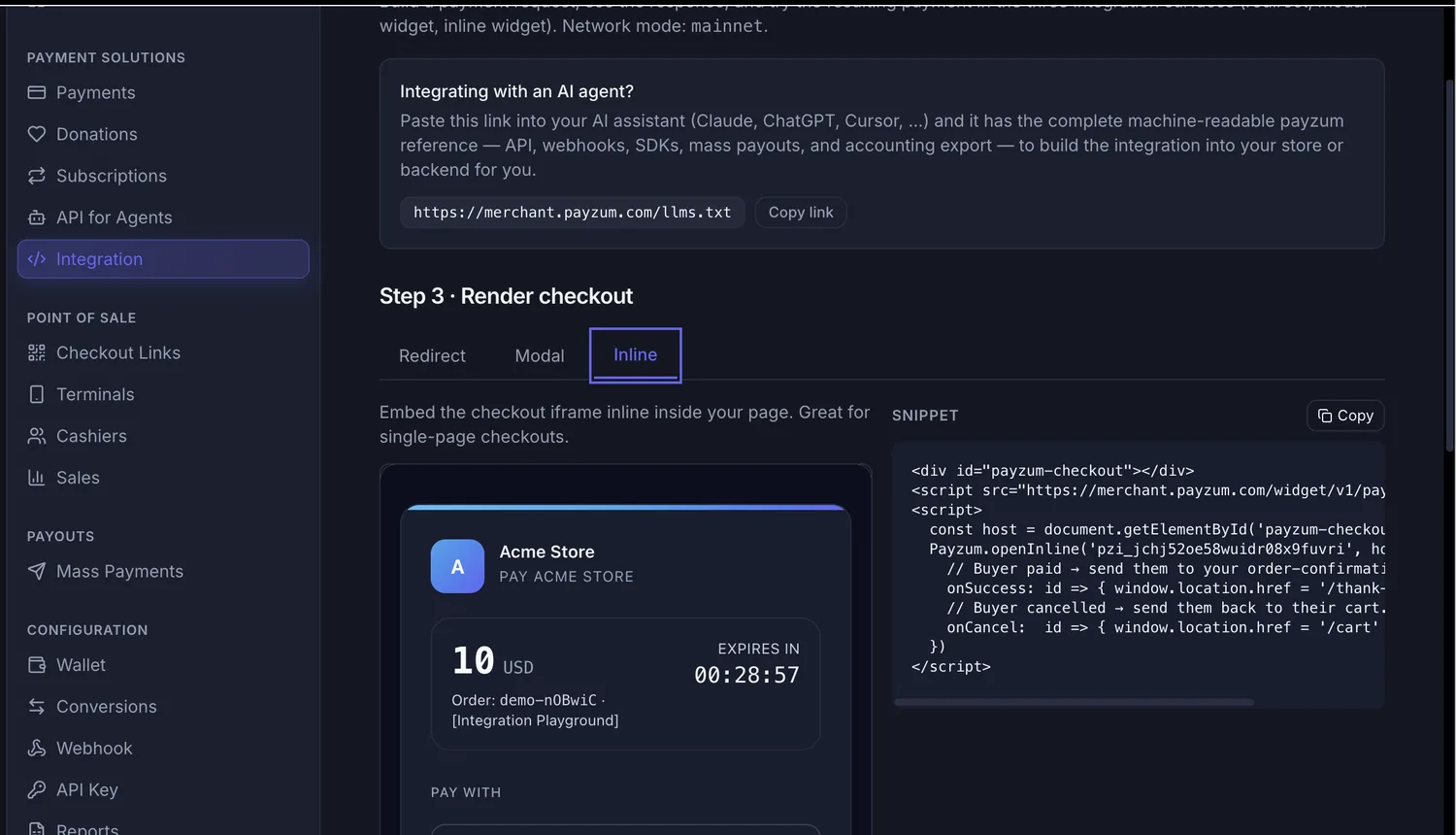
merchant.payzum.com/llms.txtinto Claude, ChatGPT or Cursor and the assistant gets the complete machine-readable reference for the API, webhooks and SDKs.
Total elapsed time for a standard store: an afternoon, most of it spent on the staging order and the policy text. The developer-facing version — endpoints, payloads and webhook handling without a plugin — is in REST API crypto payment gateway.
Use cases: where a crypto payment plugin pays for itself
Five stores, five different platforms, one plugin pattern.
- The DTC brand losing cross-border orders on WooCommerce. A skincare brand ships worldwide and watches conversion collapse in three markets where foreign-card declines are routine. The plugin adds a USDC/USDT option at checkout in an afternoon; buyers in those markets pay from the stablecoin balance they already hold, the order moves to processing in seconds, and the money is in the brand's wallet before the label prints. Full context in accepting stablecoin payments in an online store.
- The digital-goods store on Easy Digital Downloads bleeding fraud chargebacks. Software licences and templates are delivered instantly, which makes them the favourite target of card-not-present fraud: buy, download, dispute. With the plugin, the licence is released when the signed webhook confirms a final payment; there is no six-week window for the download to turn into a loss.
- The hosting company on WHMCS with a global client base. Monthly invoices to clients in forty countries, a percentage lost to cards and wires, and a support queue of "my card was declined". The WHMCS integration adds a stablecoin option to the invoice, the client pays from anywhere, and the invoice is marked paid from the webhook — the same reconciliation the company already runs.
- The B2B wholesaler on Magento 2 with five-figure orders. Card limits make large orders awkward and wires make them slow. A stablecoin payment at checkout clears a $20,000 order in seconds, final, with the order reference attached — and the buyer, a reseller in a capital-controlled economy, finally has a way to pay at the listed dollar price.
- The event organiser on pretix. Tickets sold months ahead, deposits that come back as "services not rendered" when plans change. Installed with one
pip install, the plugin takes stablecoin ticket payments that cannot be disputed, with refunds issued under the organiser's own policy instead of a card network's.
Payzum's plugin vs the card gateway and custodial crypto plugins
| What matters at your checkout | Card gateway plugin / custodial crypto plugin | Payzum drop-in plugin |
|---|---|---|
| Time to go live | Days to weeks of underwriting and KYC before the first order | An afternoon: install, paste key and secret, enable |
| Where the money lands | Acquirer or gateway balance, paid out 1–3 days later, minus a reserve | Directly in a wallet you control — non-custodial, nothing held back |
| Fee on the order | A percentage of every ticket, forever | 0.5% per sale plus a network cost of cents on Base, Polygon or Solana |
| Chargebacks and card-not-present fraud | Reversible for months; the loss sits with the store | Final on confirmation — refunds only under your policy, initiated by you |
| The buyer abroad | Foreign-card declines and "high-risk country" blocks | Pays from any supported chain, any country, in seconds |
| What marks the order paid | Often the return URL — a closed tab loses the order | A signed server-to-server webhook, verified and deduplicated |
| Who can close your account | The acquirer, the gateway or the bank behind them | No balance to freeze; the funds were never with Payzum |
| Can you read the code? | Rarely | Every plugin and SDK is open source on GitHub |
Common objections, answered
“My cart isn't on the list.”
Then you do not need a plugin. Any platform that can call an API and redirect the buyer can use the hosted checkout today: one server-side call creates the payment, the response gives you the checkout URL, the signed webhook tells you when it is paid. The plugins are a convenience, not a prerequisite. The four ways to add crypto checkout covers the choice between plugin, hosted checkout, payment links and API.
“The plugin isn't in the WordPress or Shopify marketplace yet. Is it safe to install from GitHub?”
It is safer than most things you install from a marketplace, because you can read it. Every Payzum plugin, SDK and the OpenAPI specification are public under github.com/payzum-dev, so your developer can audit the code before it touches your store — there is no binary you have to trust. The marketplace listings follow as each review clears; the code does not change when they do. If you would rather not clone, ask us for the packaged build.
“We already have Stripe. Why add a second gateway?”
Keep Stripe. The plugin adds a method next to it, and the platform's own rules decide which buyers see it. The question is not which rail wins the domestic card order; it is which rail carries the orders your current stack handles worst — the buyer abroad whose card declines, the five-figure order a card limit blocks, the digital download that turns into a fraud dispute, the market where your acquirer will not let you sell at all. Those orders are exactly what this method is for.
“What happens when a buyer underpays or the invoice expires?”
The webhook tells the plugin, and the plugin tells the order. An underpayment puts the order on hold with a note showing what arrived, so your staff can ask for the balance or refund it under your policy; an expired invoice cancels the order so stock is released; a failed payment fails it. Nothing is guessed from the buyer's browser.
Frequently asked questions
What is a crypto payment plugin and how does it work?
A crypto payment plugin registers a stablecoin/crypto method in your cart platform's own payment-method system. When a buyer selects it, the plugin creates the payment server-side with your API key, sends the buyer to a hosted checkout with a QR code and deposit address, and marks the order paid when a signed webhook confirms the on-chain payment. With Payzum the funds settle directly to a wallet you control — non-custodial.
Which shopping carts does Payzum have a plugin for?
Twenty-nine integrations: WooCommerce, PrestaShop, Magento 2, OpenCart, Zen Cart, Shopware 6, Shopify, Wix, BigCommerce, Ecwid, Medusa, nopCommerce, Sylius, Vendure, Saleor, Easy Digital Downloads, GiveWP, Paid Memberships Pro, Fluent Forms, Tutor LMS, WHMCS, Blesta, HostBill, ClientExec, pretix, django-payments, Frappe/ERPNext, Akaunting and Omnipay — all open source at github.com/payzum-dev, plus SDKs for PHP, Node, Python and Rust.
How long does it take to install a crypto payment plugin?
An afternoon for a standard store. Install the plugin, paste the API key and webhook secret from the Payzum dashboard, register the webhook URL the settings screen shows you, run one staging order end to end, then switch to the production key and enable the method. The PHP SDK is vendored in the WooCommerce plugin, so there is no Composer step.
Is the plugin non-custodial? Where does the money go?
Yes. Payzum never holds the funds. The buyer's payment goes from their wallet to a wallet you control, confirmed on-chain in about 0.4 seconds on Solana and around two seconds on Base and Polygon. With auto-convert on, it arrives as USDC or USDT, so the amount that lands matches the order total you priced in dollars.
How does the plugin know an order is really paid?
From Payzum's signed server-to-server webhook, never from the buyer's return to your site. The WooCommerce plugin verifies an HMAC-SHA-512 signature over the raw request, uses a constant-time comparison and a replay window, and deduplicates redeliveries, so an order cannot be marked paid by a forged request or fulfilled twice. A closed tab never loses a paid order.
What if my cart platform has no Payzum plugin?
Use the hosted checkout directly: one server-side call creates the payment, the response returns a checkout URL to redirect or embed, and the signed webhook confirms payment. Any platform that can call an API can go live today. You can also paste merchant.payzum.com/llms.txt into an AI assistant to have it write the integration against your stack.
Book 20 minutes and we'll get the plugin live on your store
Tell us your platform, your markets and what your checkout does today. We'll pick the right integration — plugin, hosted checkout or API — walk the install with your developer, run the staging order with you, and design how stablecoin payments reach a wallet you control: non-custodial, final, with no chargeback column in your reports.
If the calendar does not load, book directly here · [email protected]
This article is general information about payments, not legal, financial or tax advice. Consumer rules on refunds and cancellations, accounting treatment and tax vary by jurisdiction and remain your responsibility. Confirm the rules that apply where you operate with your own advisers.