
Turn Your Phone Into a Crypto POS — No Reader, No Lease, No Chargebacks
Key takeaways
- Zero hardware: the phone or tablet you already own is the terminal. No reader to pair, no device to lease, no charger cradle at the register.
- One QR per sale: the cashier enters the amount and the screen shows a QR generated for that exact ticket — the customer scans and pays from any wallet.
- Every staffer's phone is a register: PIN cashier logins and per-cashier, per-terminal analytics turn a busy rush into extra lanes instead of a longer line.
- Non-custodial and final: funds settle in seconds to your own wallet (Solana ~0.4s, Base and Polygon ~2s), payments can't be charged back, and optional auto-convert keeps everything in USDC or USDT.
The card terminal: hardware you rent to reach your own money
Before a card terminal takes its first tap, you've already paid for it several times over. There's the device itself — bought outright or leased month after month — plus the POS software subscription, the acquirer contract behind it, and the paperwork to get approved in the first place. If the acquirer sunsets the model, you re-lease. If you open a second register, you buy or rent a second device. If a screen cracks at a weekend fair, sales stop until a replacement ships.
Then the recurring math starts. Card acceptance costs a percentage of every ticket plus a fixed per-swipe fee, and regulated debit interchange is only a floor — the Federal Reserve's own interchange data shows how many layers sit between the sticker rate and what a small merchant actually pays. On a $5 or $10 ticket, the fixed fee alone can quietly double the effective rate. And whatever the terminal collects doesn't reach you for one to three business days, because a batch has to close, clear, and settle through the acquirer.
The part that stings most, though, is that all of this hardware exists to serve someone else's risk model. The reader, the certification stickers, the PIN pad — they're there because a card payment is reversible and the network needs to manage that reversibility. You carry the cost; the dispute window stays open against you for months anyway.
What the terminal stack costs you in a year
Add it up for one small shop: a leased terminal or two, software fees, and roughly 2.6–3% plus $0.10–0.30 skimmed off every sale. A business ringing $200,000 a year across cards hands the stack $6,000 or more before rent and payroll — and low-ticket sellers lose proportionally more, because the fixed fee hits a $4 coffee exactly as hard as a $400 repair.
The hardware dependency has a sneakier cost: lost sales at the margins. The pop-up where the paired reader wouldn't connect. The delivery driver who can't take payment at the door because the terminal lives at the counter. The second rush-hour lane you never open because it means another leased device and another monthly line item. Every one of those is revenue that walked away for the sake of a box you rent.
And when a dispute lands — even on an in-person sale — the money is pulled back while you argue with a receipt, a dispute fee sticks either way, and enough of them invites the acquirer to hold a rolling reserve of your own revenue. You paid for the terminal, the software, and the contract, and the funds still aren't final for roughly 120 days.
Why card-present payments can't just live on your phone
It's not that nobody thought of it. Card-present acceptance structurally requires certified hardware and an acquirer in the middle: the card is a reversible instrument, so the network mandates secure readers to capture it, an underwritten merchant account to absorb disputes, and a settlement pipeline that holds funds in transit while risk clears. "Tap to pay on phone" products soften the hardware edge, but the contract, the percentage, the batch delay, the reserve policy, and the 120-day dispute window all come along — because they're properties of the rail, not the device. A crypto payment inverts the premise: it's a push payment with on-chain finality. The customer sends funds; there is nothing to capture, nothing to underwrite against reversal, and no acquirer needed to guarantee anyone. That's why the terminal can shrink to a QR code on whatever screen is handy.
How Payzum turns your phone into a crypto POS
Payzum is a non-custodial, crypto-only payment processor, and its POS was built around one idea: the terminal is software, so any phone or tablet you already own can be one. The cashier enters the amount and the screen shows a fresh QR generated for that exact sale — no reused addresses, no typing wallet strings, no reader to pair. The customer scans with any wallet and pays; the payment confirms on-chain in seconds — about 0.4 s on Solana, roughly 2 s on Base or Polygon across the supported networks — and lands directly in a wallet your business controls. Payzum never pools or holds the money, so there's no processor balance to freeze and no batch to wait for: the settlement is the payment.
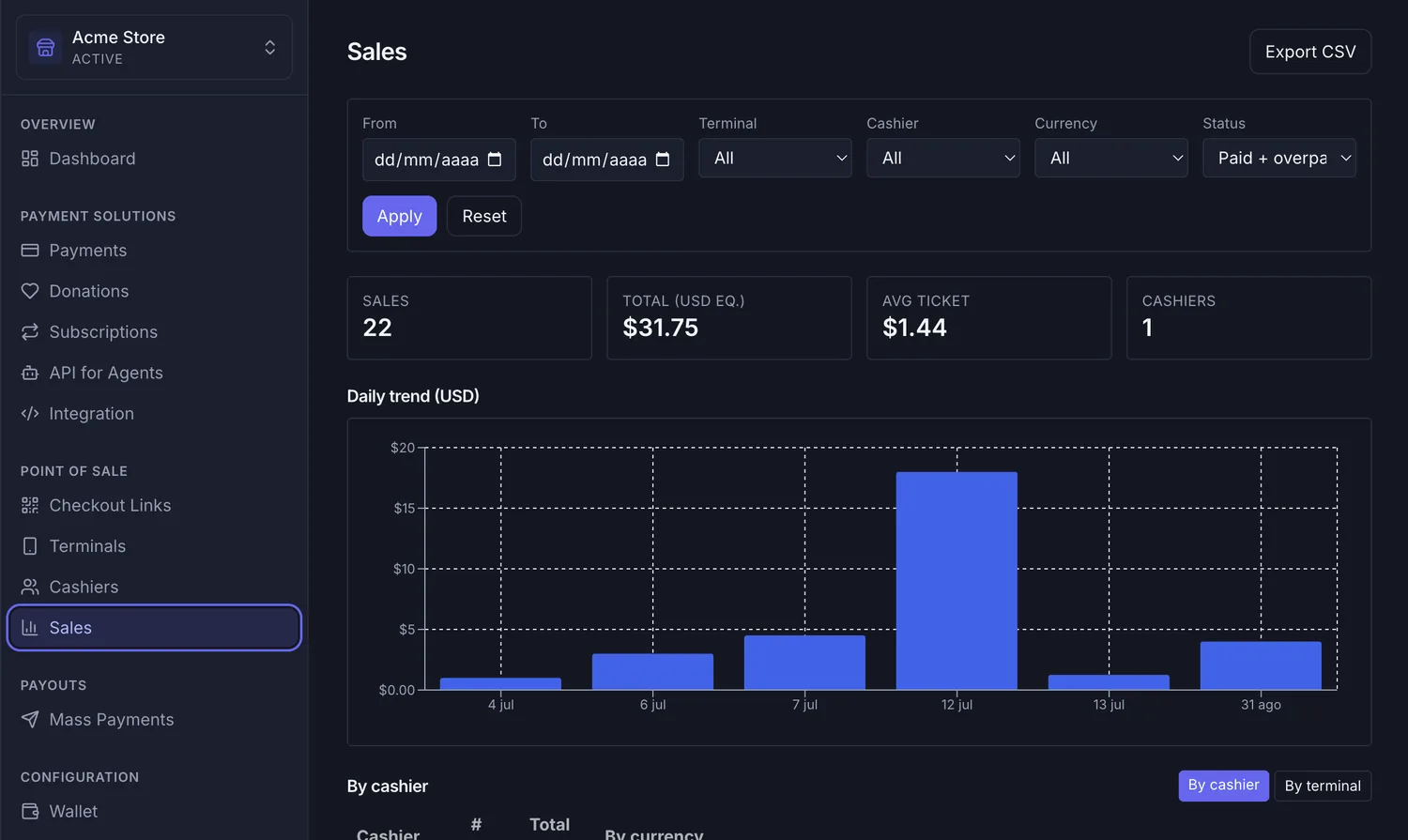
Because the terminal is just a login, scaling the counter costs nothing. Each staffer gets their own PIN cashier profile, so the same account runs on one phone or on ten at once — and per-cashier, per-terminal analytics show who rang what, on which device, making end-of-shift closes a report instead of a recount. When the line grows on a Saturday, you don't order another lease; you hand a phone to whoever's free.
Volatility is handled at the settlement layer. Quote prices in dollars, and optional auto-convert settles every sale as USDC or USDT — USDC is issued fully reserved against dollar assets, so the amount you ring up is the amount you keep. And every payment is final: on-chain settlement has no chargeback mechanism, so a confirmed sale can't turn back into a debit weeks later. If you're new to the model, start with how non-custodial settlement works, or see the broader case for accepting crypto payments in person.
Set up your phone as a POS, step by step
- Create your Payzum account. Sign up for the business — there's no acquirer application, no hardware order form, and no underwriting questionnaire about your ticket sizes before you can sell.
- Connect a wallet you control. Point Payzum at your business wallet on the networks you want to accept. Turn on auto-convert if you want every sale to land as USDC or USDT regardless of what the customer pays with.
- Open the POS and add your cashiers. Launch the point of sale on each phone or tablet that will take payments and create a PIN login per staffer. Each device is now an independent, tracked terminal on the same account.
- Ring up the first sale. Enter the amount, show the QR, and watch the confirmation land in seconds — final, non-reversible, and already in your own wallet before the customer pockets their phone. Account security runs on 2FA and a full audit log from day one.
Where a phone POS wins: use cases
The moment the terminal becomes software, it goes everywhere the business goes — and multiplies wherever the business gets busy:
- The weekend market stall or pop-up: no paired reader, no signal-hungry hardware, no acquirer paperwork for a temporary pitch. Unpack the merchandise, open the POS on your phone, and the register is live before the awning is up.
- The food truck and the street vendor: the whole payment stack rides in a pocket. A fresh QR per order keeps the line moving, and there's no fixed per-swipe fee making the smallest items unprofitable.
- The rush-hour second lane: a café or shop that queues at peak hands a phone to a second staffer with their own PIN login — an extra register for exactly as long as the rush lasts, at zero marginal hardware cost.
- On-site trades and home services: the mobile mechanic, electrician, or cleaner collects at the doorstep the moment the job is done. No card reader to carry, no invoice that ages for 30 days — and for bigger jobs, an expiring invoice with overpayment detection collects the deposit up front.
- Delivery at the door: the driver's own phone takes the payment on handover, settled to the business wallet before they're back on the road — with per-cashier analytics showing exactly who collected what.
- Tourist-heavy counters: when a visitor's foreign card declines, the sale used to die at the terminal. A stablecoin QR works from any wallet, any country — often the difference between a lost sale and a kept one. (Related: avoiding 3% card fees with stablecoins.)
Phone crypto POS vs card terminal — side by side
| What matters | Card terminal / acquirer | Payzum on your phone |
|---|---|---|
| Hardware | Bought or leased device per register | Any phone or tablet you already own |
| Getting started | Acquirer application, underwriting, shipping | Sign up, connect your wallet, open the POS |
| Cost per sale | ~2.6–3% + $0.10–0.30 fixed per swipe | No card-network percentage, no per-swipe fee |
| Adding a register | Another device, another monthly fee | Another PIN login on another phone — free |
| Settlement | 1–3 business days via batch, reserves possible | Seconds, straight to your own wallet |
| Disputes | Reversible for ~120 days + dispute fees | Final on-chain — no chargebacks |
| Mobility | Tied to the counter, pairing and signal issues | Works wherever the phone goes |
| Price stability | Fiat, but fees erode it | Auto-convert settles in USDC/USDT |
Common objections, answered
My customers pay by card — who's going to scan a QR?
Run it beside the card terminal, not instead of it. The phone POS is the rail for the sales the card stack handles worst: tourists whose foreign cards decline, crypto-holding locals, small tickets the fixed fee punishes, and off-counter moments — deliveries, call-outs, market days — where the terminal simply isn't there. Setup costs nothing and nothing is ripped out, so every QR payment is margin recovered, not a bet on replacing cards.
A phone doesn't feel as secure as a bank's terminal.
The terminal is armored because it captures card credentials; a QR-based crypto sale never touches them. The customer pushes the payment from their own wallet, so there's no card number on your device to steal and no stolen-card fraud to eat. On the account side, Payzum runs 2FA, PIN logins per cashier, encrypted secrets, and a full audit log — and because settlement is non-custodial, the money isn't sitting in a processor balance waiting to be frozen. It's in your wallet.
If payments are final, how do I handle refunds?
Refunds become your policy, executed from your own wallet on your terms — an exchange, store credit, or a payment back to the customer. What disappears is the involuntary version: the dispute filed months later that pulls money back while you argue. You decide with the customer in front of you, instead of a card network deciding with your revenue already gone.
What if crypto's price moves between the sale and the settlement?
Quote in dollars, settle in dollars. With auto-convert on, any supported coin the customer pays with lands in your wallet as USDC or USDT — a $60 ticket settles as $60 of stablecoins. Confirmation takes seconds, so there's no overnight exposure hiding between ringing up and getting paid.
Frequently asked questions
How do I turn my phone into a crypto POS?
Create a Payzum account, connect a wallet your business controls, and open the point of sale on your phone. Add a PIN login for each cashier, enter the amount for a sale, and the screen shows a fresh QR the customer pays from any wallet — funds settle to your wallet in seconds.
Do I need a card reader, dongle, or any extra hardware?
No. The phone or tablet you already own is the entire terminal. There's nothing to lease, pair, or certify — the sale is a QR code on the screen, and the customer's wallet does the paying.
Can several cashiers and phones share one account?
Yes. Each staffer gets their own PIN cashier login, and the same account runs on as many devices as you need. Per-cashier and per-terminal analytics show who rang what on which phone, so shift closes stay clean.
Which cryptocurrencies and networks can customers pay on?
Payzum supports Bitcoin, Ethereum, Solana, Polygon, Base, Arbitrum, Optimism, BNB Chain, and Avalanche. Confirmations take about 0.4 seconds on Solana and around 2 seconds on Base or Polygon, and auto-convert can settle everything as USDC or USDT.
Can a customer reverse a payment after they've left?
No. On-chain settlement is final — there is no chargeback mechanism, so a confirmed sale can't be pulled back weeks later the way a card payment can for roughly 120 days.
Does a phone POS work at markets, fairs, and pop-ups?
That's where it shines. There's no paired reader or acquirer paperwork tied to a location — open the POS wherever you're selling and the register is live. The payment settles to your wallet on-chain, from any customer wallet in the world.
Book a meeting — bring the phone you'll sell with
Tell us how your business takes money today — at a counter, a stall, a doorstep, or all three — and we'll design your phone-based crypto POS around it: a fresh QR per sale, PIN logins for every staffer, optional auto-convert to USDC or USDT, and non-custodial settlement in seconds to a wallet you control on the networks your customers actually use. If you also sell online, the same account adds payment links, invoices, and hosted checkout settling to the same wallet.
Prefer a direct link? Book a payments consultation · [email protected]