
How to pay with USDT from Binance or Coinbase: a guide to send your customers
Key takeaways
- Choose the network before the amount. On Binance, 12 of the 19 networks listed for USDT accept the same 0x address, so the exchange can't tell which one your checkout means.
- Put the withdrawal fee on top of the invoice amount. If the fee comes out of it, the payment lands short and the order waits.
- Keep the checkout open until it says paid. Binance gives no fixed processing time for withdrawals.
- Buyers with a self-custody wallet can skip the copying. On EVM chains and Solana, the Pay with wallet button fills in every field.
Sellers who add a crypto checkout soon get the same message from buyers: how to pay with USDT from Binance, or with USDC from Coinbase, without losing the money. It's a fair worry. Many of these buyers keep their stablecoins on an exchange, whose withdrawal screen was built for moving your own funds around, and paying a shop from it takes a few steps the screen doesn't explain.
You can send this guide to customers as it is, or lift pieces of it into your checkout and order emails. The network warning comes first because a wrong network is the one mistake that can lose the money for good. A short payment or an expired timer can be fixed afterwards.
Payzum is a non-custodial, stablecoin-first crypto payment processor: payments settle directly to wallets the merchant controls.
How does a customer pay a merchant in USDT or USDC from Binance or Coinbase?
Five moves, in this order:
- Open the merchant's checkout link and choose the coin and network, for example USDT on Polygon. Note the network name.
- In the exchange app, start a withdrawal of the same coin. Binance calls it Send, then Withdraw Asset.
- Paste the deposit address from the checkout and select the network the checkout named. If the exchange offers several, the checkout decides, not the fee.
- Enter the amount so that the exact checkout figure arrives, with the exchange's fee added on top.
- Confirm with 2FA or a passkey, then keep the checkout open until its status says paid.
A payment can be lost at step 3, and most stuck orders go wrong at step 4.
Why the network choice is the step that can lose the money
A stablecoin is one asset that lives on many chains. Tether's integration guidelines say one USDT on one blockchain equals one USDT on any other, and ask platforms to make clear which protocols they support. Circle says USDC is natively supported on 38 networks, a count it dates to June 2026. An exchange shows each coin as one balance, but on-chain every network keeps its own ledger, and a transfer exists only on the network it was sent on.
On November 23, 2026, the network list behind Binance's withdrawal fee page offered USDT on 19 networks. Twelve of them take the same address format: 0x followed by 40 characters. A Polygon address, a BNB Smart Chain address and an Arbitrum address can match character for character, so pasting the address doesn't settle which network the money travels on. The same data flags BNB Smart Chain (BEP20) as the default network for both USDT and USDC.
Binance's withdrawal guide, updated on September 18, 2026, is blunt about the result: "If you select the wrong network, your funds might be lost and will not be able to be recovered." It also tells users to choose the network the receiving platform supports, and not the one with the lowest fee.
Habit is a smaller risk than it looks. Tether's transparency data for November 23, 2026 shows about 91.6 billion USDT in circulation on Tron, more than on any other chain, and about 79.3 billion on Ethereum. Plenty of exchange users have only ever sent USDT over TRC20. A Tron address starts with a T, though, so Binance won't accept a 0x address under TRC20. The danger sits among the EVM networks, where every option accepts the address you pasted, including the default one.
What a wrong network or a short transfer costs both sides
For the buyer, a wrong-network transfer is the worst case. The funds leave the exchange and land on a chain the checkout isn't watching, so the invoice still reads zero. Getting them back depends on the network and on who controls that address there. No exchange or processor can promise it.
For the seller, the costs are smaller and more common:
- The order sits on hold while the buyer sends a Binance withdrawal receipt. The receipt is genuine, and it still doesn't pay the invoice.
- A transfer that arrives a few cents short, because the fee came out of the amount, leaves the invoice open. Our guide to underpaid crypto invoices covers the follow-up.
- A buyer who loses money paying you rarely blames the exchange. The bad review goes to your shop.
- Each first-time exchange payer can turn into a support thread, often across time zones.
Why an exchange can't fill in the payment for your customer
A card checkout pulls the money. The shop sets the amount, and the issuer approves or declines it. An exchange withdrawal is pushed. The buyer chooses the coin, the network, the address and the figure, and the exchange sends what was entered.
Wallets solve part of this with payment requests. EIP-681 on Ethereum, and Solana Pay on Solana, pack the token, the amount and the recipient into one QR code, and a wallet that scans it fills in every field. Binance's guide describes a form instead, where the buyer pastes the address, selects the network and types the amount, one field at a time.
Two Binance features look like shortcuts and don't reach a checkout. Sending to another Binance user by email, phone or Binance ID moves funds between Binance accounts, and a checkout deposit address isn't a Binance account. The address book saves addresses for reuse, but an address from an earlier order is the wrong one to reuse. Copy the address from the checkout in front of you. And if the buyer has turned on the withdrawal whitelist, Binance will only send to whitelisted addresses, and adding one requires 2FA.
What the Payzum checkout shows a customer paying from an exchange
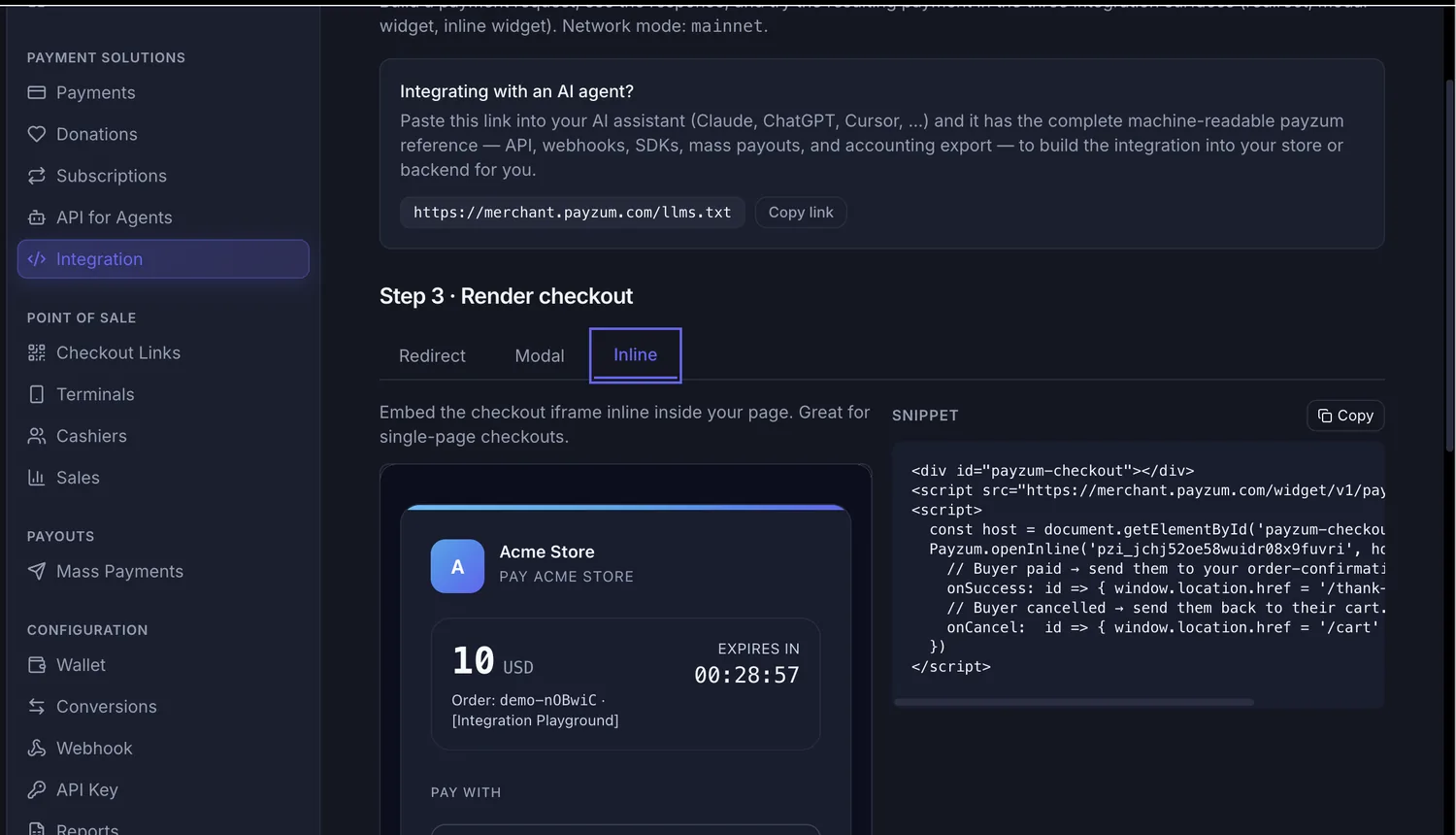
Every Payzum payment runs on its own invoice. According to the hosted checkout documentation, the page shows:
- the chain and the coin to pay with;
- the exact amount to send and the deposit address, each with a copy button;
- a QR code with the full payment request for wallets that read it (EIP-681 on EVM chains, Solana Pay on Solana);
- a countdown to expiry, and a live status that updates as confirmations arrive.
When the merchant lets buyers choose, the page opens with a searchable currency picker. It's grouped by chain and limited to the tokens the merchant accepts, so a buyer can't land on a network the shop never switched on. Once they pick, the page prints the network name they'll need to match on the exchange.
If the first transfer lands short, the page and its QR switch to asking for the balance only. On the merchant side, the invoice moves from waiting to partially paid to finished. If a different token reaches the address, say USDT on an invoice for USDC, Payzum sends a wrong-token notice to your webhook, so you hear about it before the customer writes in.
Buyers with a self-custody wallet have an easier route. On Ethereum, Polygon, Arbitrum, Optimism, BNB Smart Chain, Avalanche, Base and Solana, the page offers a Pay with wallet button. It connects MetaMask, Phantom, Coinbase Wallet or any WalletConnect wallet, and asks it to sign the exact transfer, with amount, token, network and destination already filled in.
The money never sits with Payzum. It settles to a wallet the merchant controls. Payzum's fee is 0.5% of each sale, taken from what arrives, and on-chain gas is extra: cents on Base, Polygon or Solana. The pricing page has the breakdown.
Paying from Binance, screen by screen
These steps follow Binance's withdrawal guide as updated on September 18, 2026. Button labels move between app versions. The order of the checks stays the same.
- On the merchant's checkout, choose the coin and network. Leave that tab open.
- In the Binance app, go to Assets, then Overview, then Send, and tap Withdraw Asset. On the website it's Assets, Overview, then Withdraw.
- Pick USDT or USDC and paste the deposit address copied from the checkout.
- Open the network list and select the name that matches the checkout. Binance may pre-select another network from the same address family, so check it every time.
- Choose the mode where the recipient gets the figure you type (Binance calls it Receive amount) and enter the checkout amount. The fee is then charged on top, from your balance.
- On the confirmation screen, read the address and network once more, then verify with your passkey or 2FA device.
- Go back to the checkout tab. The status changes once the network confirms the transfer.
The first time someone withdraws to a new address, Binance shows a safety prompt and suggests a small test transfer. That works on a checkout too, because the page then asks only for the rest. Each transfer pays its own withdrawal fee, though, and has to clear Binance's minimum for that network.
Paying from Coinbase
Coinbase works the same way: Send, choose the asset, paste the address, and pick the network when the asset exists on more than one. Coinbase's help center says the fee for sending to an outside address is based on its own estimate of network costs, and the app shows it before you confirm. Check that the amount the recipient gets equals the checkout figure. A buyer using Coinbase Wallet, the self-custody app, can skip all of this with the Pay with wallet button.
The network map: checkout name, Binance label, fee and minimum
Exchanges and checkouts don't always call a network by the same name. The table pairs each network Payzum lists for stablecoins with the label Binance uses, plus the withdrawal fee and minimum Binance published on November 23, 2026. Fees change often, so the confirmation screen has the final word.
| Checkout shows | Pick on Binance | USDT fee / minimum | USDC fee / minimum |
|---|---|---|---|
| Polygon | Polygon POS | 0.03 / 3 | 0.12 / 5 |
| Base | Base | Not offered by Binance | 0.2 / 5 |
| Solana | Solana | 0.7 / 5 | 0.3 / 3 |
| Arbitrum | Arbitrum One | 0.3 / 3 | 0.5 / 3 |
| Optimism | Optimism | 0.04 / 3 | Withdrawals paused that day |
| Avalanche | AVAX C-Chain | 0.04 / 3 | 0.056 / 1 |
| BNB Chain | BNB Smart Chain (BEP20) | 0.01 / 2.6 | Payzum lists only USDT here |
| Ethereum | Ethereum (ERC20) | 0.6 / 5 | 1 / 5 |
Minimums matter for small tickets: nobody can withdraw 2 USDC to Base from Binance, because the floor there is 5. And a lower fee is no reason to switch. A BNB Smart Chain transfer costs 0.01 USDT and still misses a checkout that asked for Polygon.
A 120 USDC order paid from Binance, line by line
A small online store sells running shoes at 120 USDC a pair and accepts USDC on Base. The buyer keeps USDC on Binance.
| Step | What the buyer does | What the store sees |
|---|---|---|
| 1 | Opens the checkout and picks USDC on Base. The page shows 120.00 USDC, an address starting with 0x and a countdown. | Invoice waiting |
| 2 | In Binance, pastes the address. The network field may suggest BNB Smart Chain, the default in Binance's data. | No change |
| 3 | Reads "Base" on the checkout and selects Base instead. | No change |
| 4 | Chooses Receive amount and types 120. Binance adds its 0.2 USDC fee, so 120.20 leaves the balance. | No change |
| 5 | Confirms with a passkey. Binance processes the withdrawal. | No change |
| 6 | 120.00 USDC lands on Base and confirms. The page says paid. | Invoice finished, signed webhook sent |
| 7 | Nothing left to do. | 119.40 USDC in the store's wallet after Payzum's 0.60 fee, plus cents of gas on Base |
Had the buyer kept the suggested network, 120 USDC would have gone out on BNB Smart Chain, where Payzum doesn't list USDC at all. Had they used the other mode and typed 120, only 119.80 would have arrived. The page would then ask for 0.20 more, and Binance won't send less than 5 USDC on Base. Both mistakes are visible on Binance's confirmation screen, in the network line and in the amount the recipient gets.
Three sellers whose buyers pay from an exchange
The steps are the same everywhere. Where the buyer reads them, and which networks the seller offers, depend on the business.
- A freelance developer in Buenos Aires bills a Madrid agency 900 USDT for a two-week sprint. The agency's finance lead holds USDT on Binance and has never paid an invoice in crypto. The developer accepts USDT on Polygon and Arbitrum only, and sends the crypto invoice with the five checks below pasted into the email. The agency picks Polygon, where Binance charged 0.03 USDT.
- A gym in Mexico City sells day passes at the front desk with Payzum POS. Each sale gets a new QR on the cashier's phone. Members with a wallet app scan it, and members paying from Binance copy the address and amount from the same screen. The cashier, signed in with a PIN, hands over the wristband once the screen says paid. No chargeback can pull the money back later.
- A streetwear shop that sells through Instagram sends payment links in chat. Its order confirmation carries the network warning in two lines, so buyers paying from Coinbase see it before they open the link. The guide to USDT payments on WhatsApp shows the full chat flow.
Five checks to send customers before they press Withdraw
Copy this list into your order email, your chat quick reply or the payment instructions on your store:
- The coin matches. USDT and USDC are both dollars, and they're still different tokens.
- The network name on the exchange matches the one on the checkout, word for word.
- The address comes from this checkout, not from an earlier order or the address book.
- The amount that arrives equals the checkout figure. The exchange fee goes on top.
- The checkout timer still has time left, and the tab stays open until it says paid.
If a buyer reads only one line, it should be the second.
Exchange withdrawal, wallet or card: how each payment route behaves
| Question | Exchange withdrawal (Binance, Coinbase) | Wallet via QR or Pay with wallet | Card checkout |
|---|---|---|---|
| Who enters the amount | The buyer, by hand | Filled in from the payment request | The shop |
| Who picks the network | The buyer, from a dropdown | The checkout | No network to pick |
| Fee the buyer sees | Exchange withdrawal fee: 0.01 to 1 USDT or USDC on Binance (Nov 23, 2026) | Network gas, cents on Base, Polygon or Solana | Usually none |
| Main risk | Wrong network or short amount | Low: the wallet signs the exact transfer | Chargebacks, for the shop |
| Can the payment be reversed | No | No | Yes, through a dispute, for about 120 days |
| Where the shop's money goes | The shop's own wallet, minus 0.5% | The shop's own wallet, minus 0.5% | The acquirer, then the bank 1 to 3 days later |
If you're still choosing a processor, our comparison of the best crypto payment processors in 2026 compares eight of them, custody model and fees included.
What sellers ask before pointing buyers to an exchange
My customers aren't technical. Will they manage?
They already did the harder part when they bought USDT or USDC on the exchange. What trips people up is the network field, and that's one line to check. Send the five checks with the link, and point buyers who have a wallet app to Pay with wallet.
A customer already sent on the wrong network. What now?
Don't promise a fix. Ask for the transaction hash and the network they used, then write to Payzum with the invoice ID. Whether anything can be done depends on the network and the address. Put a line about network choice in your terms so the next case starts from a clear rule.
Should I accept every network, just in case?
More networks mean more names a buyer can confuse. Pick two or three where your buyers' exchanges charge little and where your average ticket clears the minimums in the map above.
Frequently asked questions
Which network should I choose when paying with USDT from Binance?
The one named on the merchant's checkout, even if Binance suggests another or another is cheaper. A 0x address is valid on many networks, so Binance can't work it out from the address alone. Its own guide warns that funds sent on the wrong network might be lost.
Why does the checkout say I paid less than the total?
The exchange most likely took its withdrawal fee out of the amount you typed. The checkout now shows only the balance. Send that from the same page before the timer ends, with the fee added on top this time.
What happens if I send USDT on the wrong network?
The transfer isn't credited to the invoice, because the checkout only watches the network it showed you. Contact the merchant with the transaction hash and the network you used. Recovery depends on the network and the address, and nobody can guarantee it.
How long does a payment from Binance or Coinbase take to show as paid?
Two waits add up. First the exchange processes the withdrawal, and Binance gives no fixed time because it depends on the network and traffic. Then the chain confirms it: about 0.4 seconds on Solana and about 2 seconds on Base or Polygon.
Can I send to a Binance user instead of making a withdrawal?
No. Transfers by email, phone or Binance ID move money between Binance accounts, and a checkout deposit address isn't one. Use an on-chain withdrawal to the address on the page, on the network the page names.
Book 20 minutes and set up a checkout exchange users can pay
Every shop's buyers pay a little differently. Book 20 minutes with our team and we'll pick your networks and write the payment instructions your customers get, non-custodial from the first sale.
Calendar not loading? Book directly here · [email protected]